
Word and PDF export
Policies, settings, assignments, scripts, and baselines in the same audit-ready documents as the web version, generated on your machine.
Desktop app for macOS and Windows
Collect your Intune configuration with your own Entra app registration, then export Word, PDF, and compliance evidence on your own machine. Built for admins and MSPs whose policies rule out third-party processing of tenant data.
From €99 per month. Card required, cancel before day 30 and you pay nothing. Getting started guide
Same report engine as the free web version, used for 8,261 exported reports.
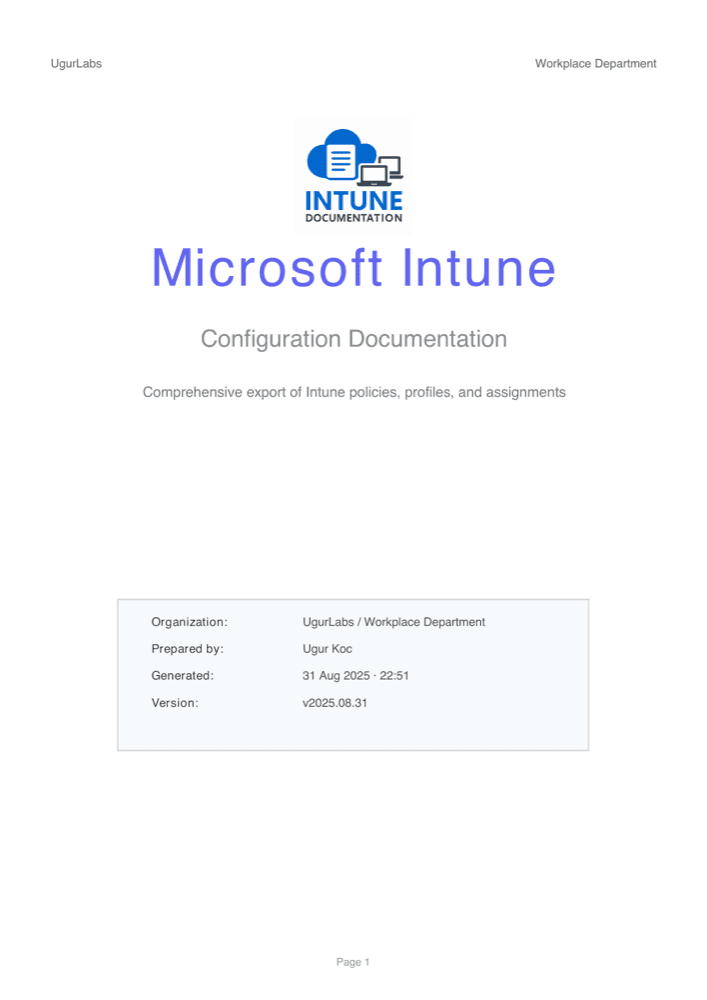
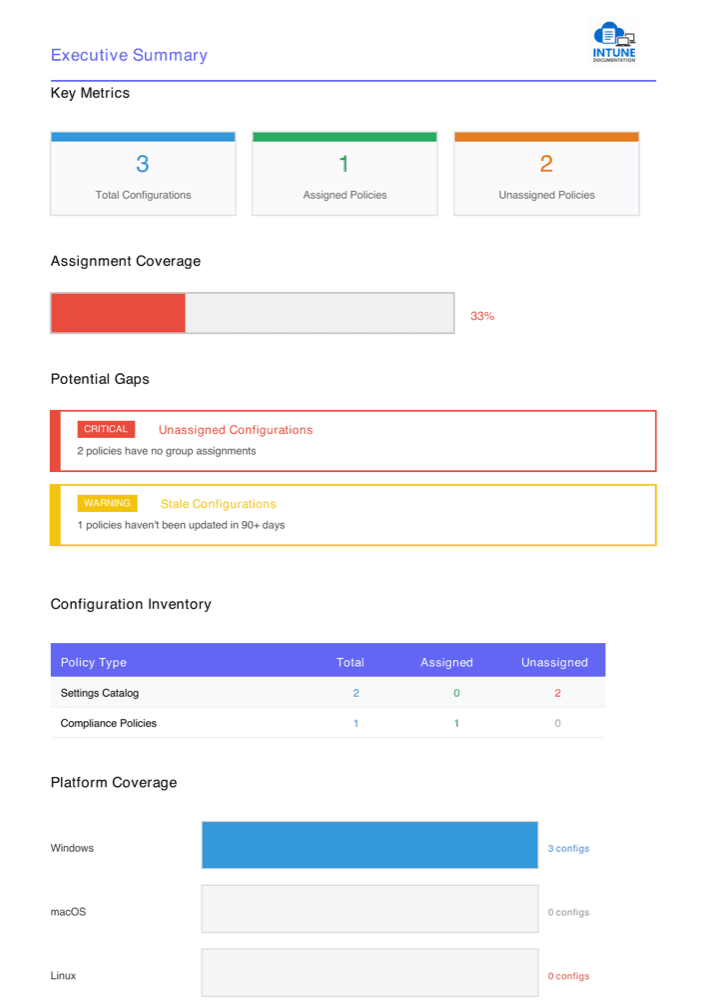
Real export from a sample tenant
Web or desktop
The free web version collects through our server, which processes Graph responses in memory and stores nothing. The desktop app removes that hop: your machine talks to Microsoft directly.
Prefer to run the web version on your own infrastructure? It is open source and free to self-host.
What stays local
The app signs in with your own app registration and calls Microsoft Graph directly. There is no Intune Documentation server in the middle.
Sign in with an Entra app registration in your tenant. You control consent, the nine read-only permissions, and Conditional Access.
Collection runs on your machine and talks to Microsoft directly. Configuration, tokens, and exports are never uploaded to us.
Your license key and token are encrypted with the operating system keychain. Documents are saved only where you choose.
Your machine
Talks to Microsoft Graph directly
Licensing service
What a license check sends
For an organization license, the app sends a Microsoft sign-in token instead of the key. We verify it, read only its tenant ID, and never store it. The licensing service uses this data only to validate your subscription and enforce tenant and installation limits. Details are in the privacy policy.
Features
Policies, settings, assignments, scripts, and baselines in the same audit-ready documents as the web version, generated on your machine.
Map your configuration to ISO/IEC 27001, SOC 2, NIST, BSI IT-Grundschutz, Cyber Essentials, Essential Eight, and more.
See the frameworksOne MSP license covers every customer tenant you activate. Switch tenants in the app without juggling keys.
After a successful license check, the app keeps working for 14 days without reaching our licensing service. Collection only needs Microsoft Graph.
Pricing
Both plans include Word and PDF exports, compliance evidence, offline use, and updates. MSP adds more tenants and switching between them. Prices in EUR, taxes calculated at checkout.
Start the trial
Pick a plan and add a payment card at checkout.
Get your license key
The key arrives by email after checkout.
Set up in about 10 minutes
Create the app registration, sign in, and paste the key.
For one organization documenting its own tenant.
One tenant, billed monthly.
Start 30-day free trialCard required. Cancel before day 30 and you pay nothing.
For partners who document many customer tenants.
Includes 10 tenants. Each additional tenant €15 per month.
Start 30-day free trialCard required. Cancel before day 30 and you pay nothing.
Cancel any time. Cancellation takes effect at the end of the billing period, and the app stays licensed until then. Already a customer? Open the customer portal.
Download
The app needs an active license to collect and export. If a colleague already shares one with your tenant, just sign in. Otherwise start the free trial first; the key arrives by email.
Disk image signed and notarized by Apple. Open it and drag the app to Applications.
macOS 13 Ventura or later, on Apple Silicon or Intel
Installer signed with Microsoft Trusted Signing. Run it and follow the prompts.
Windows 10 or 11, 64-bit (x64)
The app tells you when a new release is available and installs it when you choose. You can also turn on automatic installs in Settings. Every version is listed on GitHub Releases.
Questions, answered
You buy a Pro or MSP subscription and receive a license key by email. Paste the key into the app after signing in. The app activates the key for the tenant you signed in to and stores a signed license token on your machine. Colleagues can share an organization license: once a key holder shares it with a tenant, anyone who signs in to that tenant's Intune Documentation app registration is licensed without a key. A Pro license is shared with its tenant by default; an MSP key holder turns sharing on per customer tenant. Every plan starts with a 30-day free trial. A payment card is required, and you are not charged if you cancel before the trial ends.
Yes. Collection and export only need to reach Microsoft Graph. The app checks your license with our service regularly while online, and if the service is unreachable it keeps working for 14 days after the last successful check.
Only what the licensing service needs: the license key or, for an organization license, a Microsoft sign-in token. We verify the token, read only its tenant ID, and never store it. License checks also send a random installation ID, your Entra tenant ID, the operating system, the app version, and, when you use a key, the client ID of your app registration. Tenant configuration, Microsoft access tokens, and exported documents never leave your machine, and Graph calls go directly from the app to Microsoft.
Pro covers 1 tenant and up to 5 installations for that tenant. MSP covers 10 tenants by default, or the tenant count you purchase, with up to 5 installations per tenant. You can free an installation from the app or the customer portal.
The desktop app signs in with an Entra app registration in your tenant, so you control consent, permissions, and Conditional Access. In Entra it uses the platform type called Mobile and desktop applications, which is a different registration from the one the web version uses. The getting started guide walks through every step.
macOS: macOS 13 Ventura or later, on Apple Silicon or Intel. Windows: Windows 10 or 11, 64-bit (x64). The machine needs internet access to Microsoft Graph for collection.
Yes. The macOS app is signed with an Apple Developer ID and notarized by Apple. The Windows installer is signed with Microsoft Trusted Signing under Ugurlabs UG (haftungsbeschränkt). The app verifies the same signature before it installs an update.
Manage your subscription, invoices, and tenant count in the Polar customer portal. Cancellation takes effect at the end of the current billing period, and the app stays licensed until then. Polar is our merchant of record and handles payments, taxes, and invoices.
Email support@ugurlabs.com or use the support page. The app is built by Ugurlabs UG (haftungsbeschränkt), the company behind the free Intune Documentation web version, which is open source on GitHub.
Ready in about 10 minutes
The guide walks through the Entra app registration, the nine read-only Graph permissions, and license activation.